How it works
The GitLab Connector picks up all of the Merge Requests and Issues in a specified repository.- It will index both Open and Closed MRs. This includes the Title and Summary.
- It will index Issues (and Incidents) including comments both Open and Closed.
- Includes certain other metadata such as the URL, creator, etc.
Setting up
Authorization
1
Use GitLab Access Token
This Connector uses a GitLab Access Token.
2
Create personal access token
Log in to GitLab. On the left sidebar, select your avatar. Select Edit profile. Select Add new token.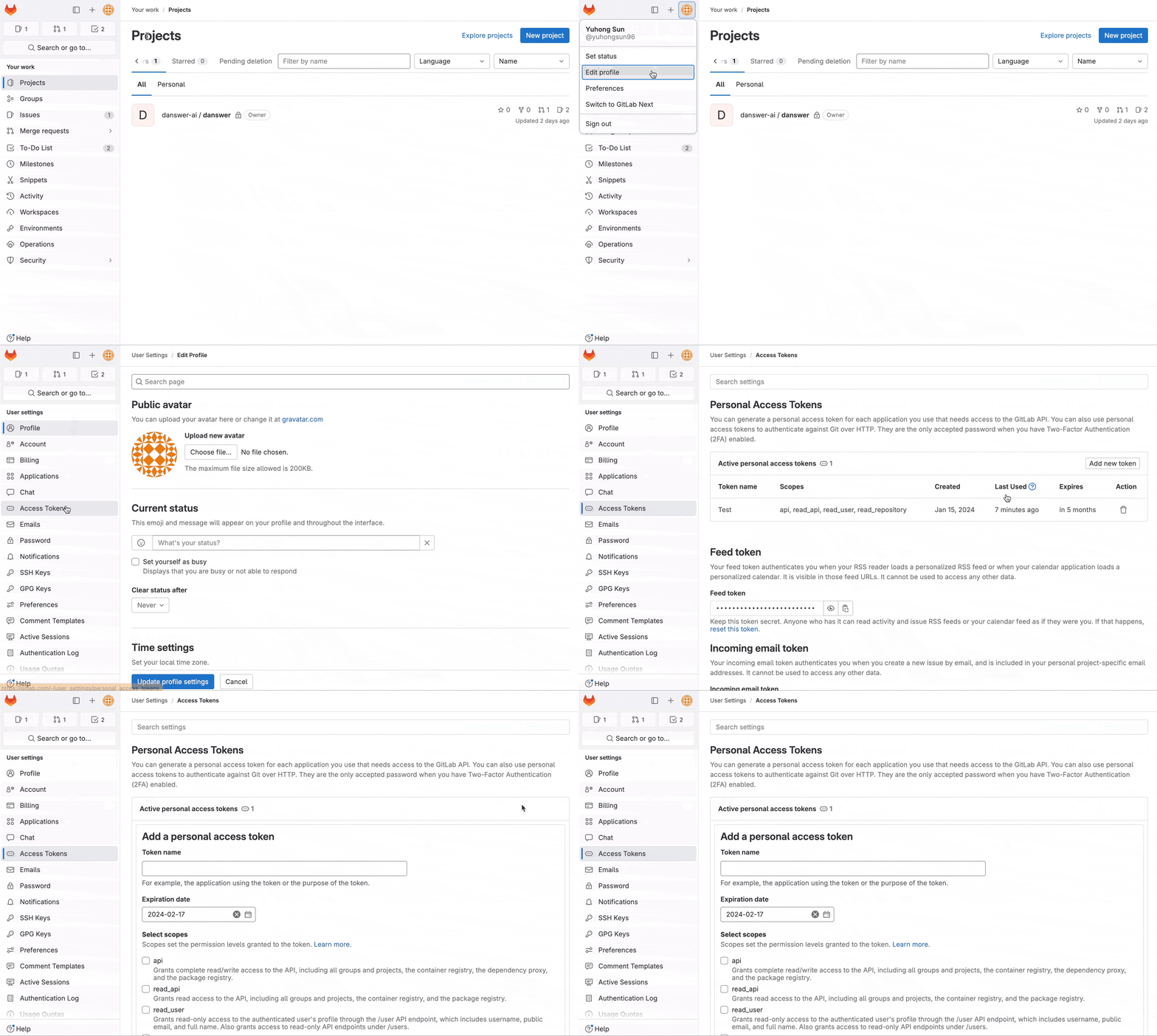
3
Set token details
Enter a name and expiry date for the token.
- The token expires on that date at midnight UTC.
- If you do not enter an expiry date, the expiry date is automatically set to 365 days later than the current date.
- By default, this date can be a maximum of 365 days later than the current date.
4
Select scopes and create
Select the desired scopes,
further details
here.
Then select Create personal access token.
Indexing
1
Open GitLab connector
Navigate to the Admin Panel and select the GitLab Connector
2
Confirm GitLab URL
If you’re using GitLab Cloud and not self-hosting, keep the GitLab URL as the default
3
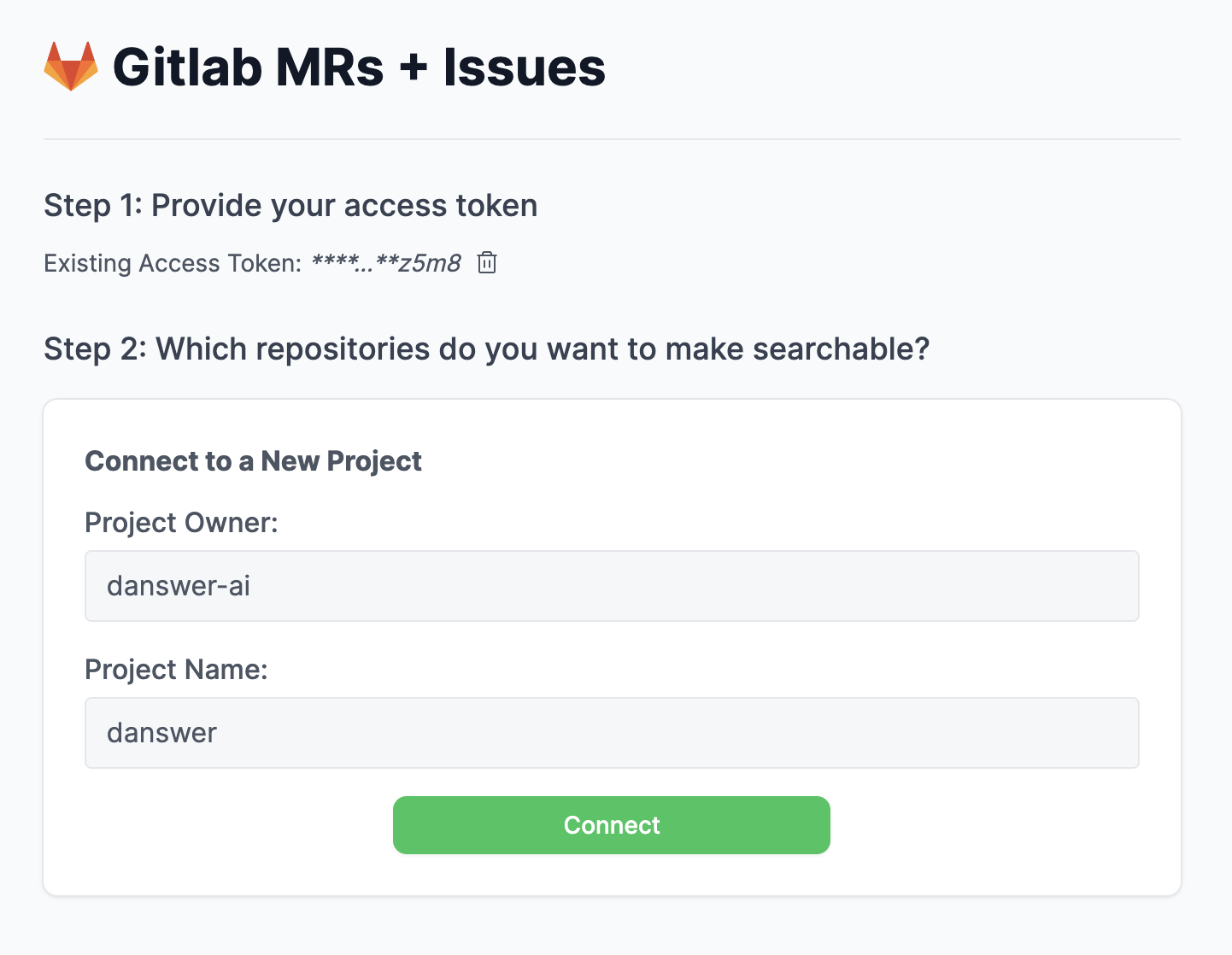
Configure project
For a project with a url such as “https://gitlab.com/onyx-ai/onyx”, configure it as below: