Jan 2026 Update
In June 2025, Slack introduced ToS and API changes that restricted customers from indexing their own data. Onyx introduced the Slack Federated connector that uses the Search APIs as an alternative to the indexing connector. However, Slack has recently reversed these API restrictions, which allows the indexing connector to work again. We have found that the Indexed Connector performs significantly better than the Slack Search APIs at finding relevant results. We strongly recommend using the Slack Indexed Connector if possible.Setting up
Authorization
1
Prerequisite
You must be an admin of the Slack workspace to set up the connector.
2
Open Slack apps
Navigate and sign in to https://api.slack.com/apps.
3
Create new app
Click the Create New App button in the top right. Select From an app manifest option.
Select the relevant workspace from the dropdown and click Next.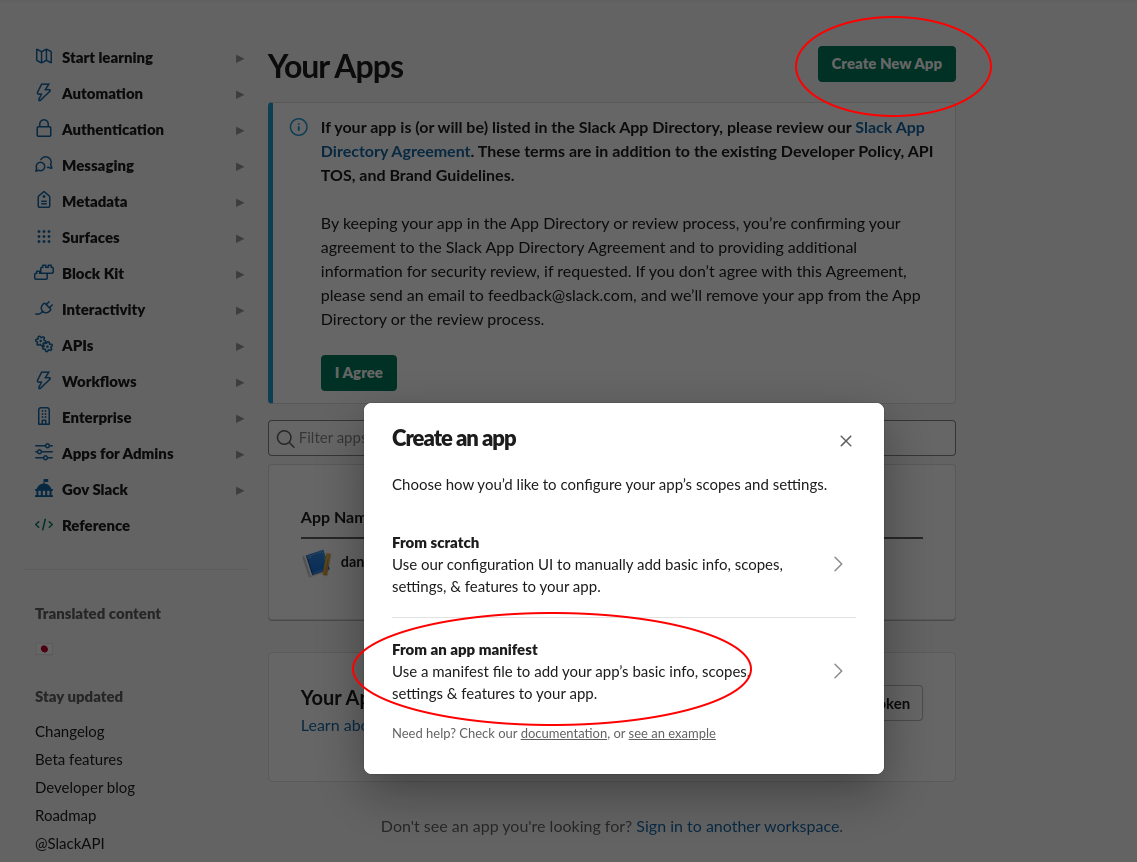
4
Paste manifest
Select the “YAML” tab, paste the following manifest into the text box, and click Next:
For Onyx Cloud, the
redirect_urls value should be https://cloud.onyx.app/federated/oauth/callback.1
Create app
Click the Create button.
2
Open Basic Information
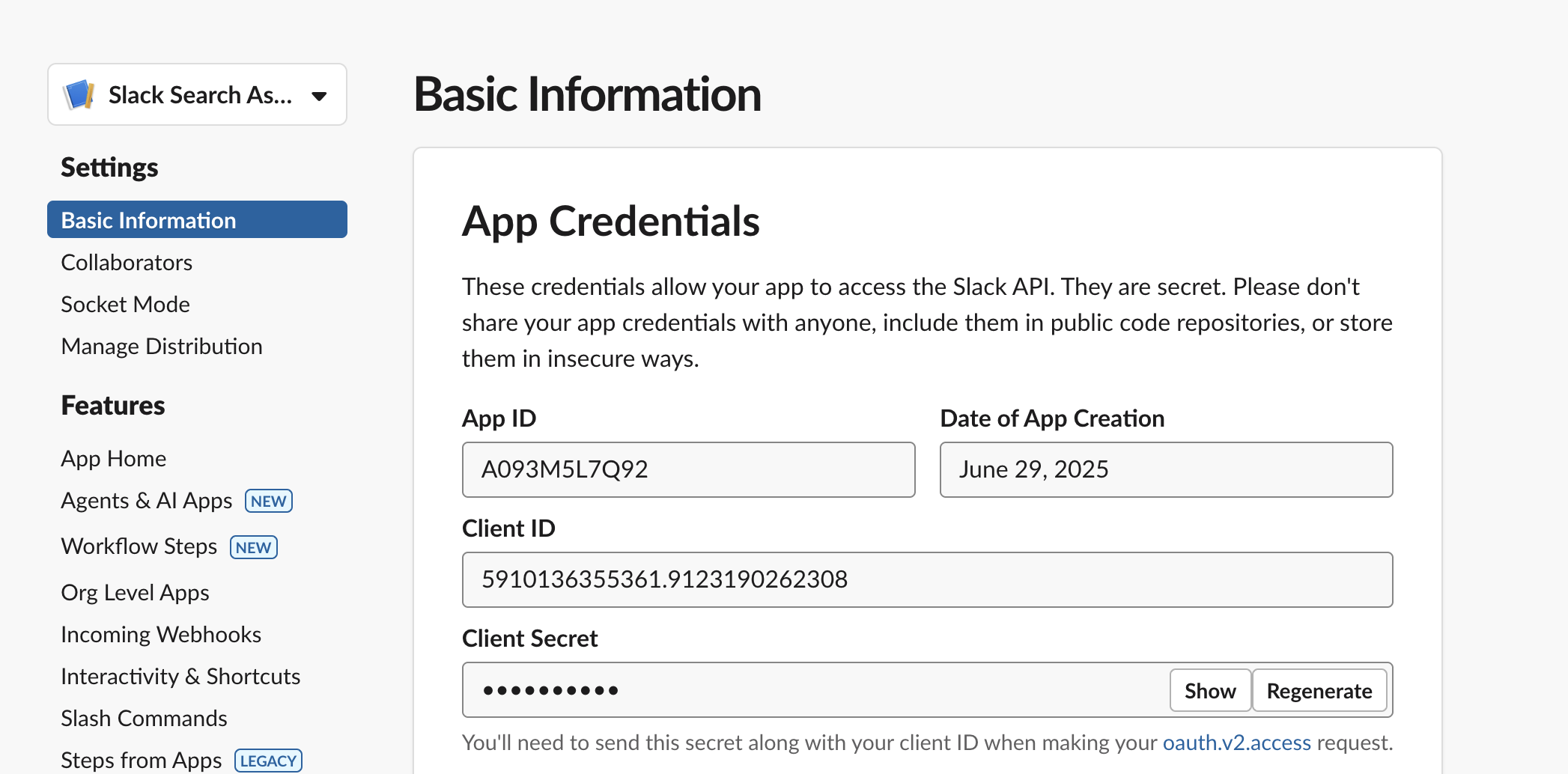
In the app page, navigate to the Basic Information tab under the Settings header.
3
Copy client credentials
Copy the Client ID and Client Secret. Store those somewhere safe for the next step.
Indexing
1
Open Slack connector
Navigate to the Connector Dashboard and select the Slack Connector.
2
Enter client credentials
Enter the Client ID and Client Secret from step 7.
3
Configure search scope
Configure the search scope for the federated connector. The following configuration options are available:Channel Selection: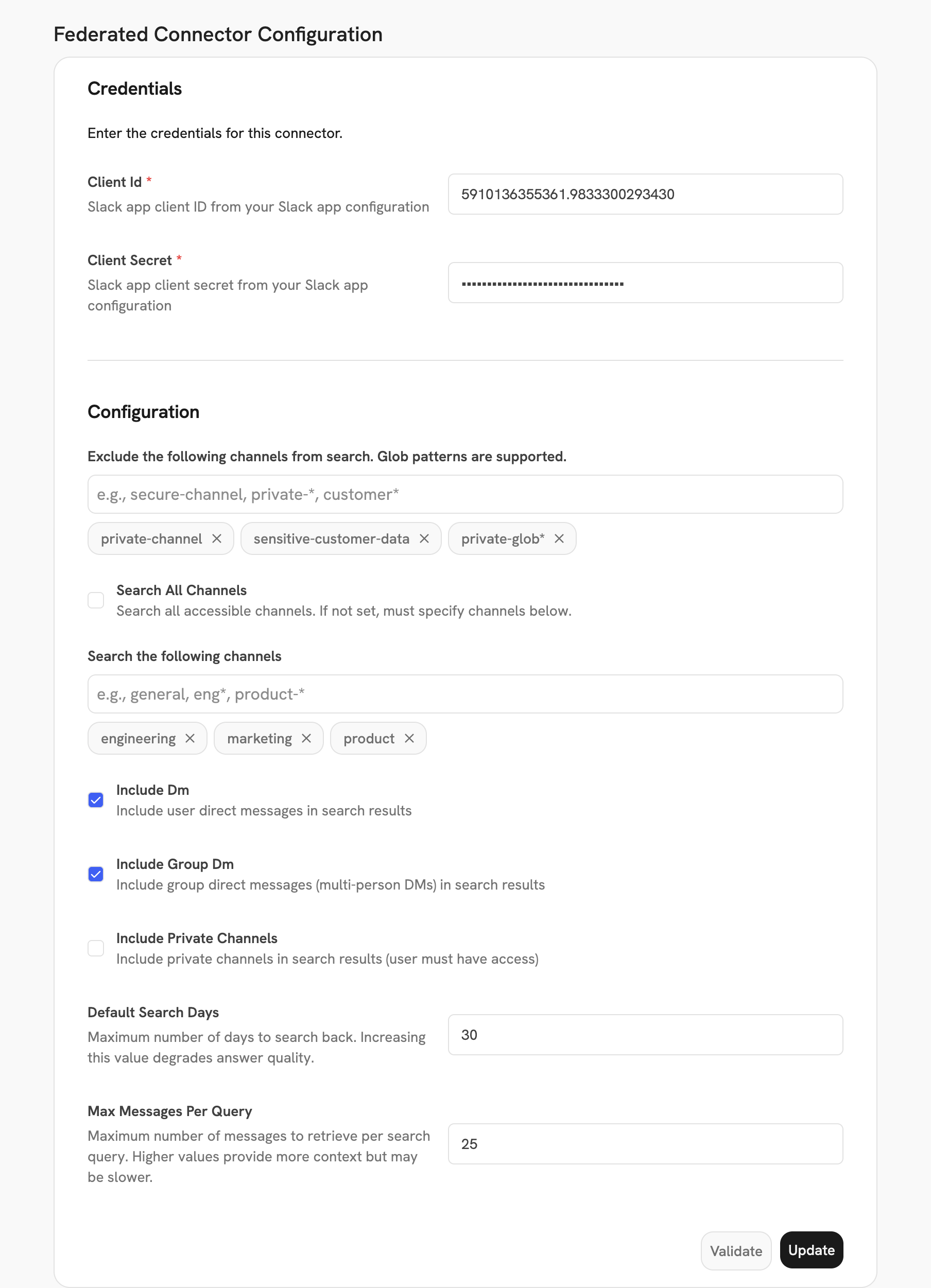
- Search All Channels: Enable to search all accessible channels. When enabled, the Channels field is disabled.
- Channels: Specify which channels to search (only used if Search All Channels is disabled). Supports glob patterns (e.g.,
general,eng*,product-*). - Exclude Channels: Exclude specific channels from search. Supports glob patterns (e.g.,
secure-channel,private-*,customer*).
- Include Direct Messages: Include user direct messages (1:1 DMs) in search results.
- Include Group Direct Messages: Include multi-person direct messages (MPIMs) in search results.
- Include Private Channels: Include private channels in search results (user must have access).
- Default Search Days: Maximum number of days to search back (default: 30). Increasing this value may degrade answer quality.
- Max Messages Per Query: Maximum number of messages to retrieve per search query (default: 25). Higher values provide more context but may be slower.
4
Complete OAuth
Head back to the main Chat page and go through the OAuth flow!
Every user will need to go through this OAuth flow. The searchable content depends on:
- The connector configuration settings (channels, DMs, private channels, etc.)
- The OAuth scopes granted during setup
- The user’s individual access permissions in Slack
mpim:read, im:history),
the connector will gracefully continue searching other available channel types and log warnings about the missing
scopes.