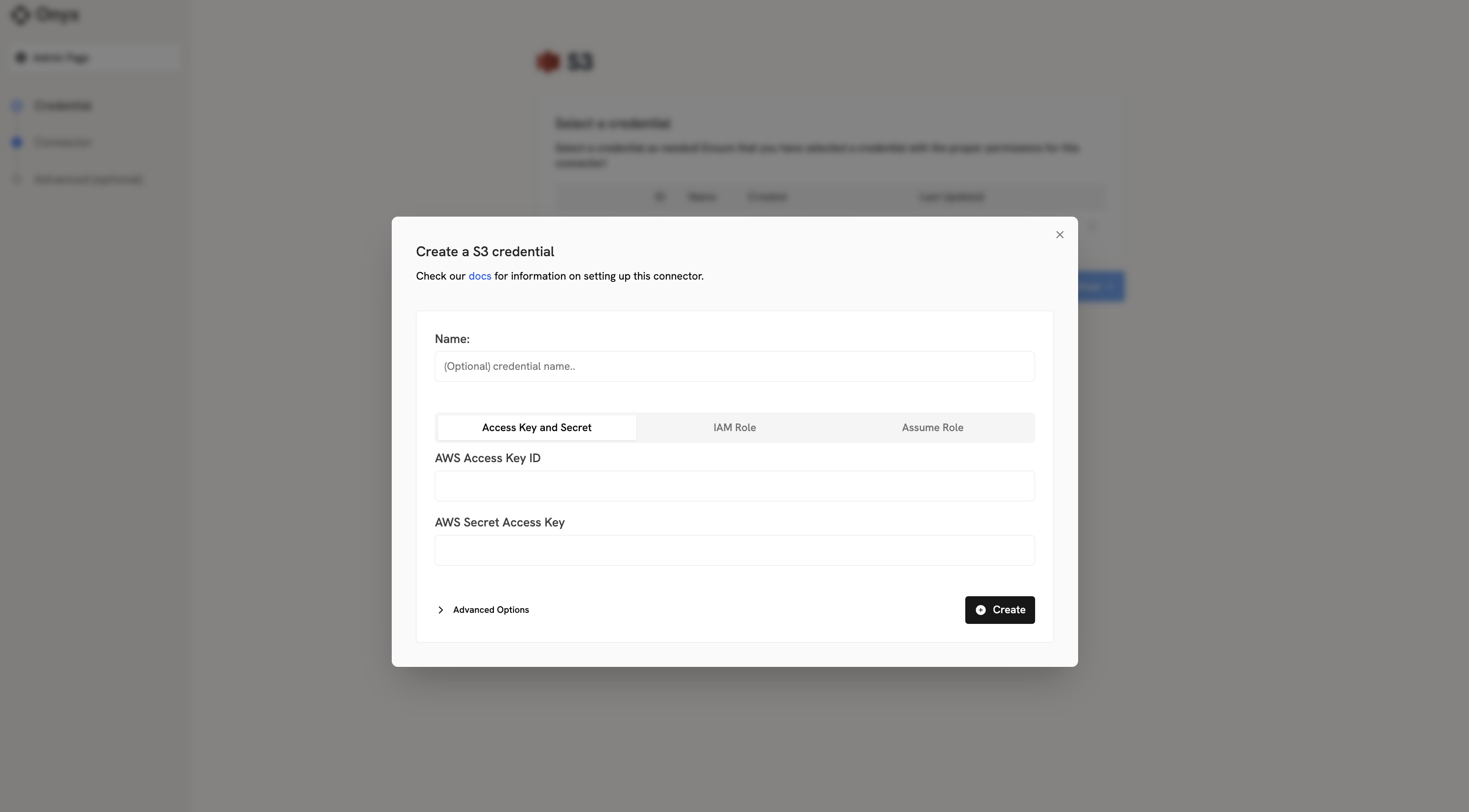
AWS Access Keys Authorization
1
Open AWS Console
Log into your AWS Management Console.
2
Open IAM
Navigate to the IAM (Identity and Access Management) dashboard.
3
Create user
In the left sidebar, click on “Users” and then “Create user”.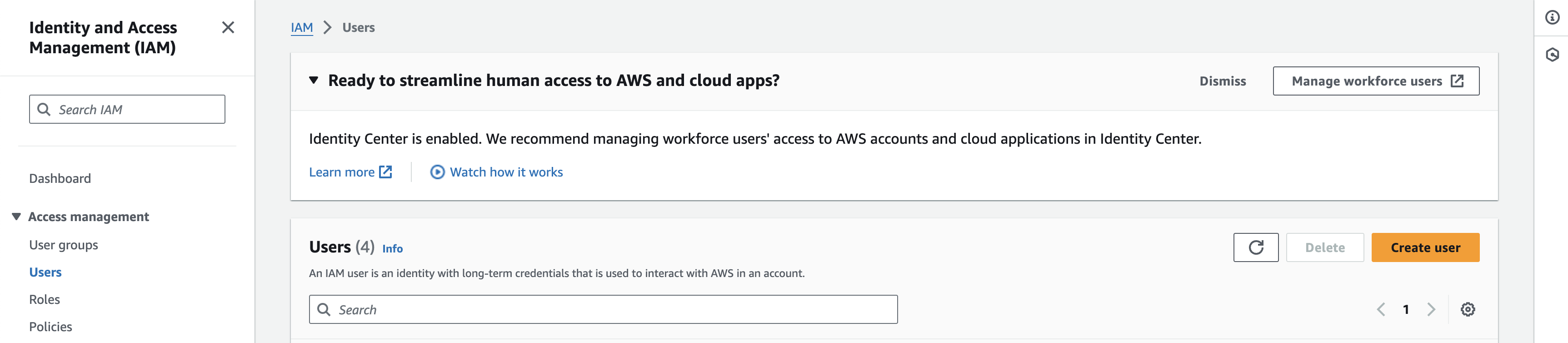
4
Set user details
Set a name for the new user (e.g., “OnyxS3Connector”) and click “Next”.
5
Attach policy
Click “Attach policies directly” and search for “AmazonS3ReadOnlyAccess” or a similarly permissive policy.
Select this policy and click “Next”.
6
Create user
Add any tags if needed, then click “Create user”.
7
Create access key
On the users page, click on the user you just created. In the summary section,
click “Create access key” and choose “Third-party service” as the use case. Confirm the disclaimer and continue.
8
Copy keys
Optionally set a description tag and then press “create access key”.
Copy the Access Key ID and Secret Access Key immediately; you won’t be able to view the secret again.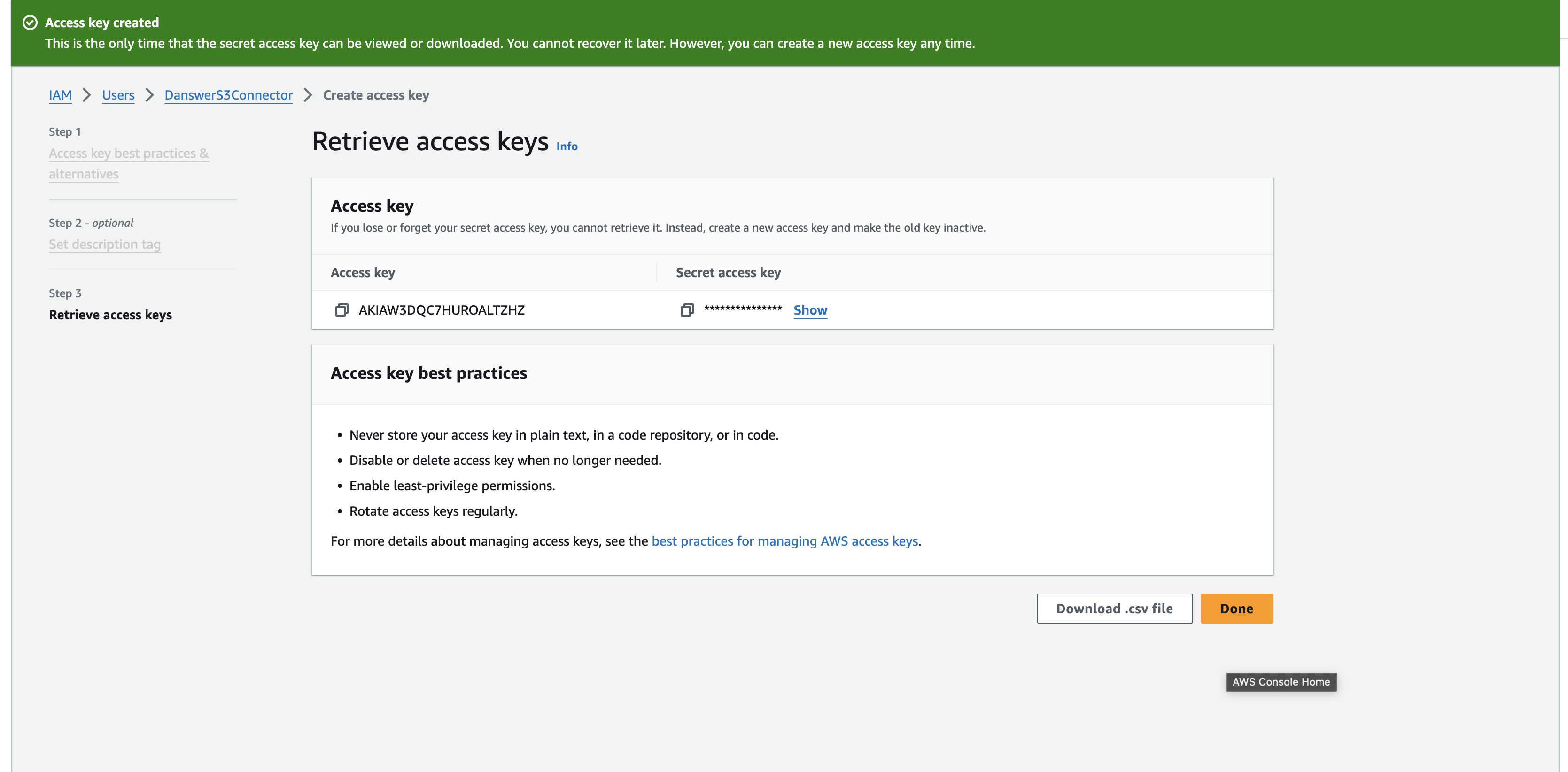
Credential Entry in Onyx
When configuring the S3 connector in Onyx, you’ll enter your credentials as follows:- AWS Access Key ID: Paste the Access Key ID you copied from AWS
- AWS Secret Access Key: Paste the Secret Access Key you copied from AWS